Many UAE families employ nannies, housekeepers and drivers. Cameras can protect children, parents and staff themselves — if they're installed openly and in the right places.
In many UAE homes the family isn't the only one who spends the day there: nannies, housekeepers, cooks, drivers and gardeners are part of daily life. Most are trustworthy and caring. But when you're at work or travelling, you want to know that children and elderly parents are fine — and to have facts, not guesses, if something goes wrong.
Why families install cameras
- Children and elderly relatives. If a child gets a bruise or a parent falls, a recording shows what happened — something a small child can't explain.
- Property. Valuables, deliveries and who enters the house while you're away.
- Fairness for staff. A recording protects an honest employee from unfair accusations as much as it protects you.
- Clear expectations. In practice, people who know a common area is recorded simply follow agreed routines more consistently.
How to do it right
- Be open. Tell staff in writing which areas have cameras — ideally as part of the employment agreement — and keep the cameras visible.
- Only common areas. Entrance, living room, kitchen, children's play area, garden and pool. Never in staff bedrooms, bathrooms or changing areas.
- Video first, audio with caution. Audio recording is more intrusive and often needs explicit consent.
- Privacy mode when the family is home. Indoor cameras can switch off automatically when you arrive — one button or a scene.
- Protect the recordings. Local recording inside the house, encrypted remote access, strong passwords, limited access and a sensible retention period.
UAE law gives strong protection to privacy, and recording people in private spaces without consent can be an offence. Rules change, so check your setup with a legal adviser — especially for audio and for sharing footage.
The technology that helps
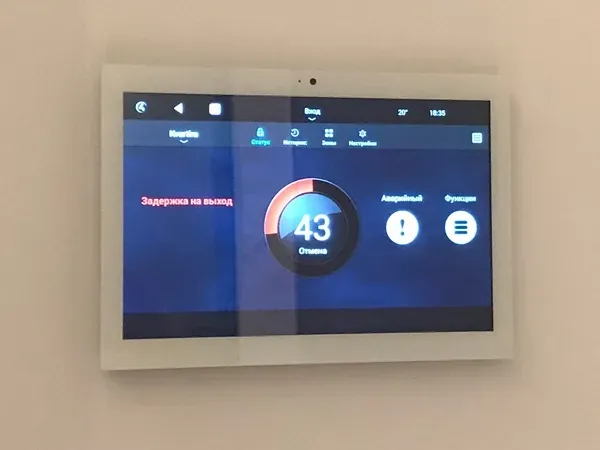
Professional cameras with local recording, an app that shows only what you need, and integration with the rest of the house: the "Away" scene arms the alarm and turns indoor cameras on; "Home" switches them to privacy mode. Alerts can tell you when the children are home or when someone opens the back door at night. See security and access control.
Questions clients ask most
Can I record audio as well as video?
Be careful: audio recording is more intrusive and in many cases needs clear consent. Many families record video only in common areas. Check current rules with a legal adviser.
Should cameras be hidden?
We recommend the opposite: visible cameras and a written notice. Openness is fairer to staff and works better — people behave differently when they know an area is recorded.
Find out what your home needs — and what it will cost
Get a free smart home planFree and with no obligation · No pushy calls — we reply where you prefer


